Put AI on Your Own Machine
From Qwen, Jev, and Laya to ComfyUI — hands-on tests on two ordinary machines
2026-09
What large models can actually run locally — language, reasoning, images, video? We lined up the representative local models of September 2026, then installed and ran them on two ordinary machines: a 48GB unified-memory Mac mini and an RTX 3080 Ti laptop with 16GB of VRAM, recording both the numbers and the pitfalls.
Three takeaways
Model size has no simple relationship with importance
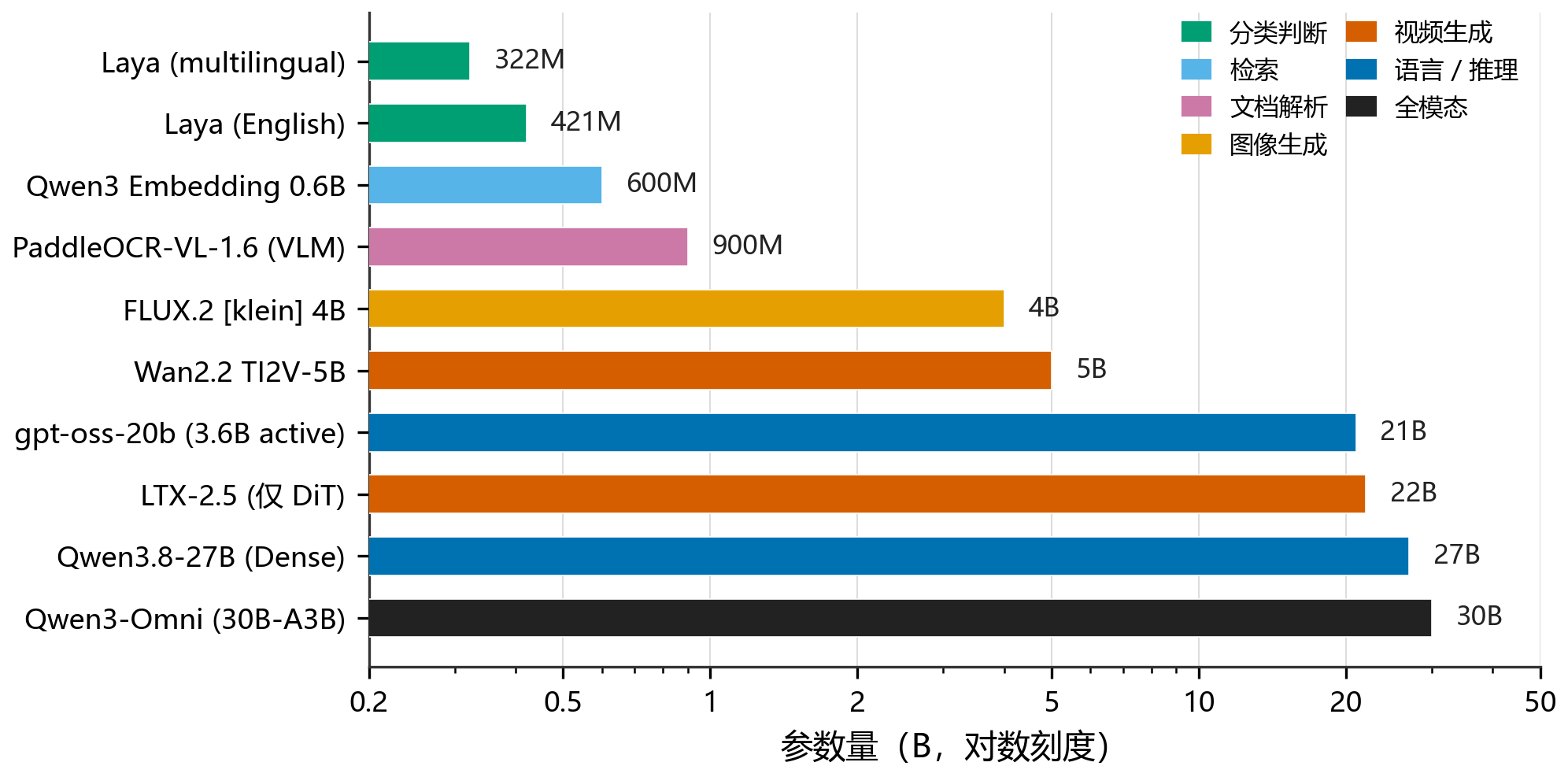
From a 322M classifier to a 30B omni model, the span is nearly two orders of magnitude. Extracting tables and seals from a contract takes a dedicated 0.9B model; a six-second video, meanwhile, keeps a high-end GPU busy for minutes. AI is slowly starting to look like a toolbox.
16GB of VRAM ran a 22B video model after all
The 48GB unified-memory Mac is great for LLMs but could not run this video pipeline — its INT8 acceleration depends on CUDA kernels with no MPS equivalent. The 16GB 3080 Ti laptop, via ComfyUI DynamicVRAM offloading the overflow weights into 64GB of system RAM, got the 22B LTX-2.5 running: about 6.2 minutes per 6-second 1152×640 clip.
"All-round" means division of labor, not one model that does everything
Same machine, same 27B model: swapping quantization, engine, and decoding doubled the speed (omlx + MTP reached 22.2 tok/s). Running locally does not mean everything should stay local — batch production eventually moved to the cloud. All-round, in the end, may just mean these parts know whom to hand the work to.
Full text
Data current as of September 22, 2026. The full text is available in Chinese only.